Phase 2 of 2
Intelligent Staffing: a whole year’s plan at once
Staffing many audit projects in one go, with AI-suggested bookings that people review, adjust and approve.
- Role
- Lead Product Designer
- Company
- Optro (formerly AuditBoard)
- Launched
- Beta, Q3 2026
- Team
- Product, Engineering, AI/ML
Overview
Phase 1 put AI suggestions where work is assigned, one project at a time. But audit teams plan a whole year of projects, so staffing them one by one was still slow and mostly done in spreadsheets.
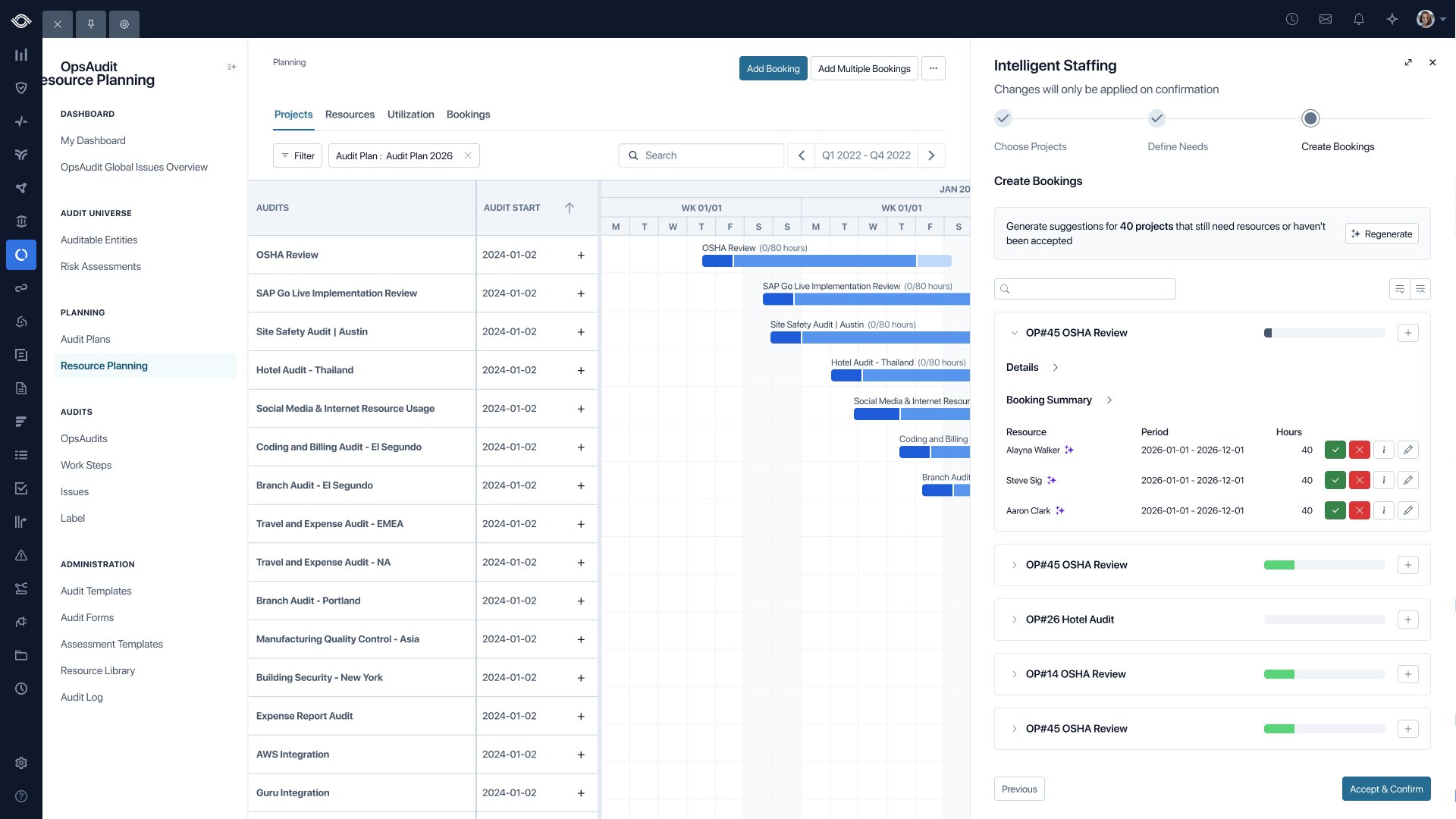
Phase 2 lets managers staff many projects in one go: choose the projects, define what each one needs, then review AI-suggested bookings for the whole team.
The challenge
Staffing a whole year means hundreds of decisions at once, with many people across many projects. AI made it faster, but people had to see why, stay in control and make informed decisions when plans change.
My role
- Lead Product Designer, working with a product manager, an engineering lead and engineers, and the AI/ML team
- Built a working prototype in code with Claude, from our user personas and design library components
- Ran synthetic usability testing before testing with real users
- Designed every state of the flow, annotated for engineering
Design principles
Hundreds of decisions, each one explained
Explain
A match score and a justification on every suggestion.
Control
Accept, edit or remove each row. Nothing is booked until you confirm.
Visibility
Every suggestion, accepted or not, is kept in a log.
The flow
Three steps from plan to bookings
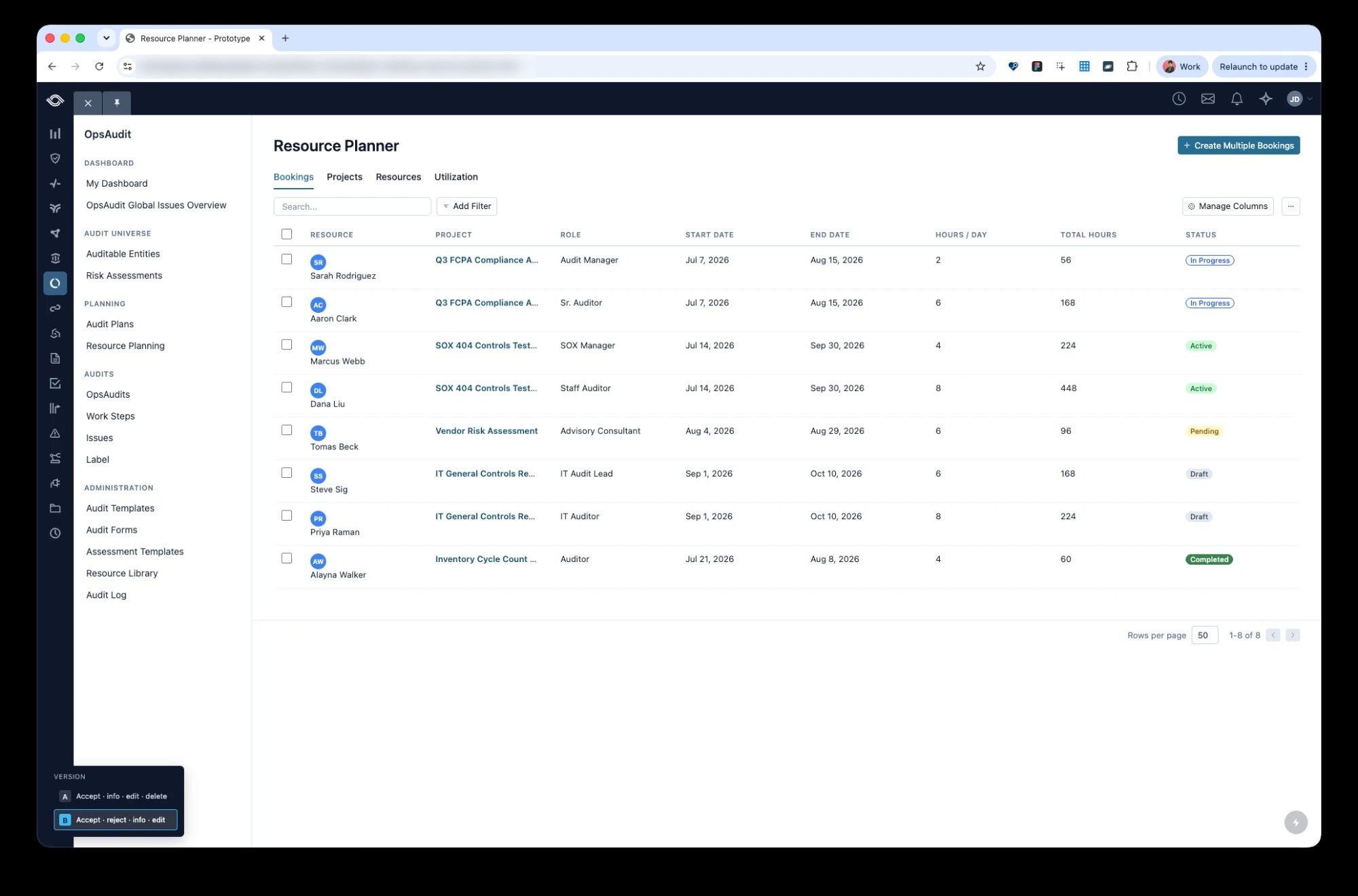
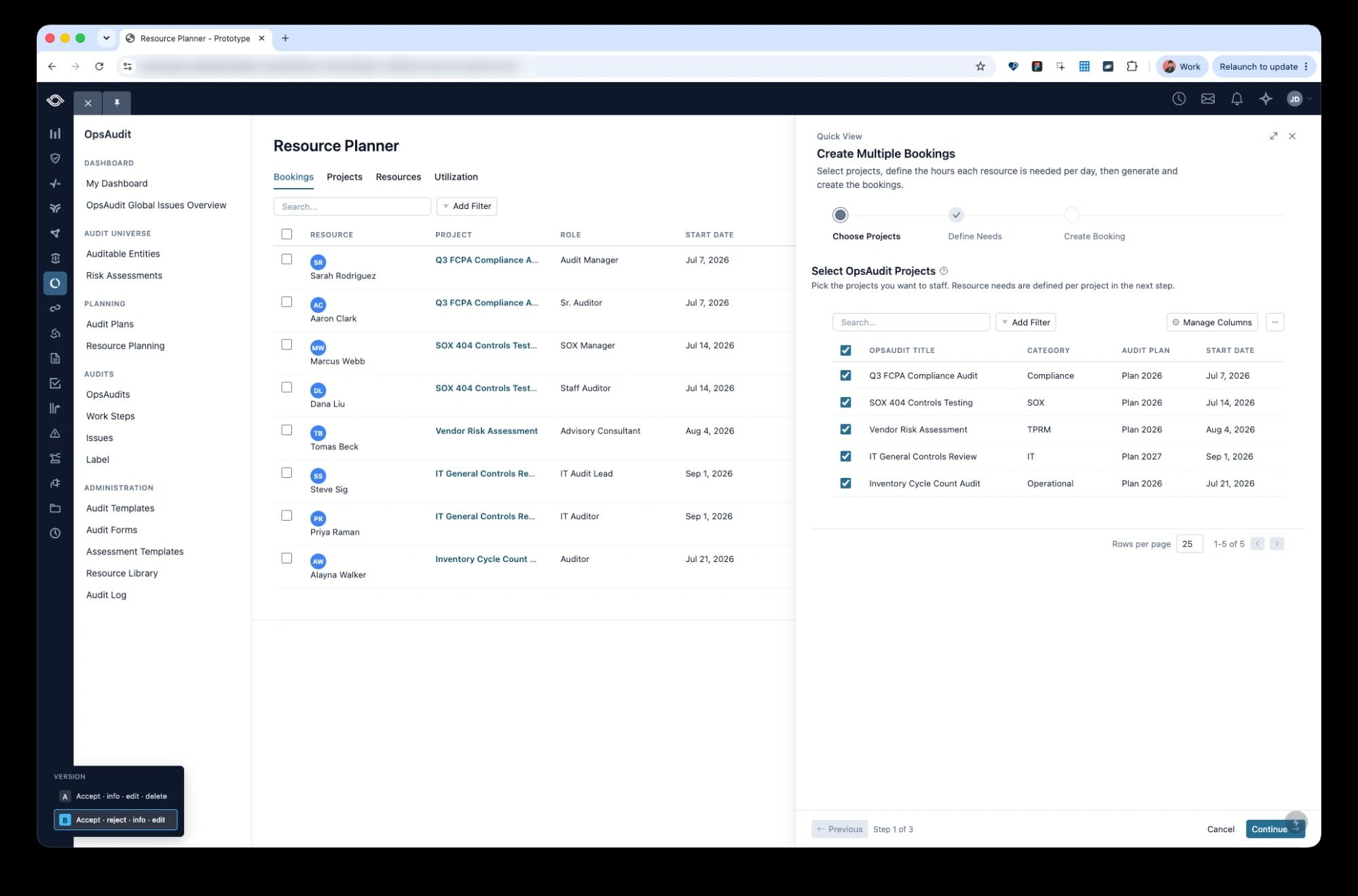
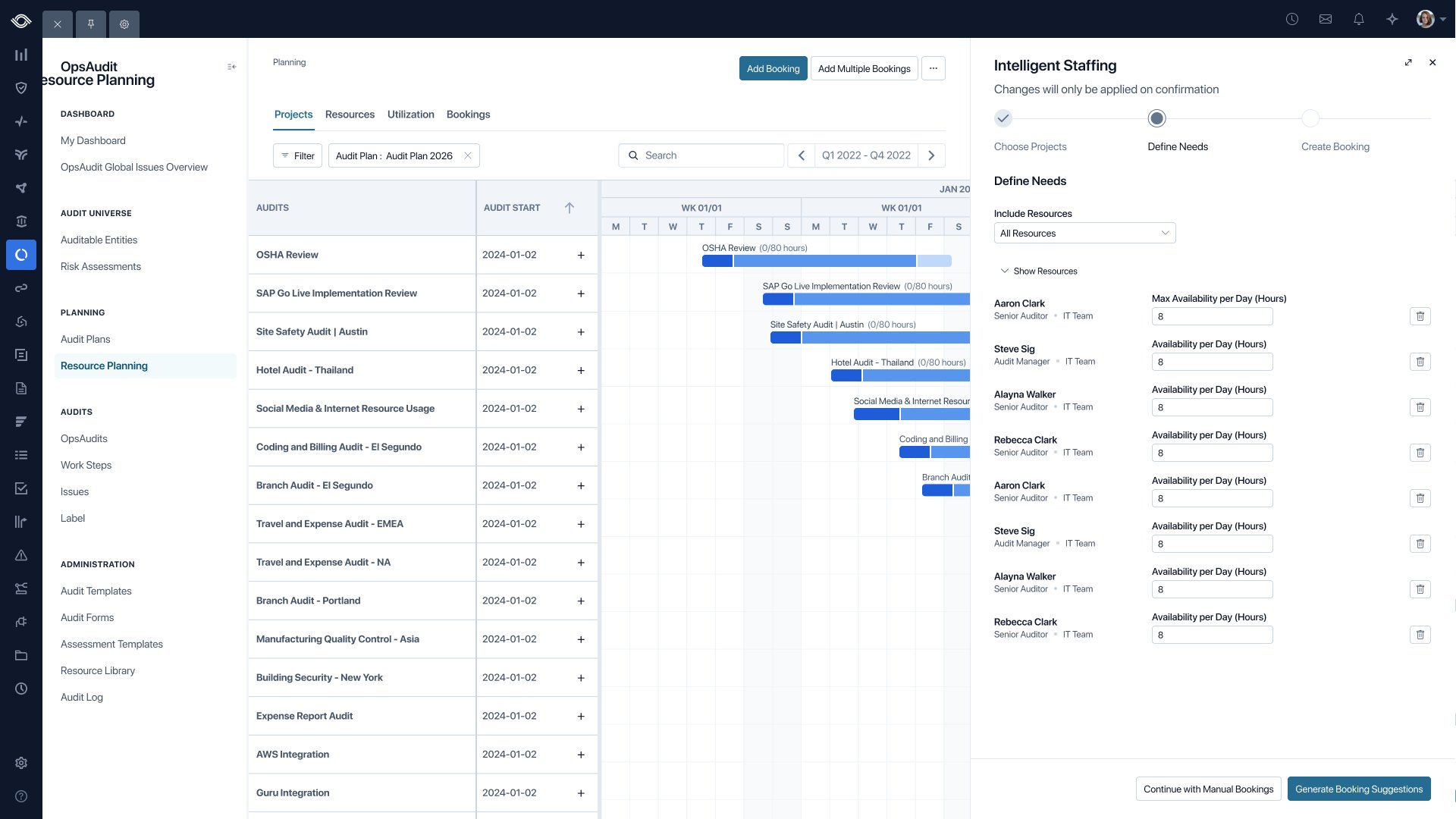
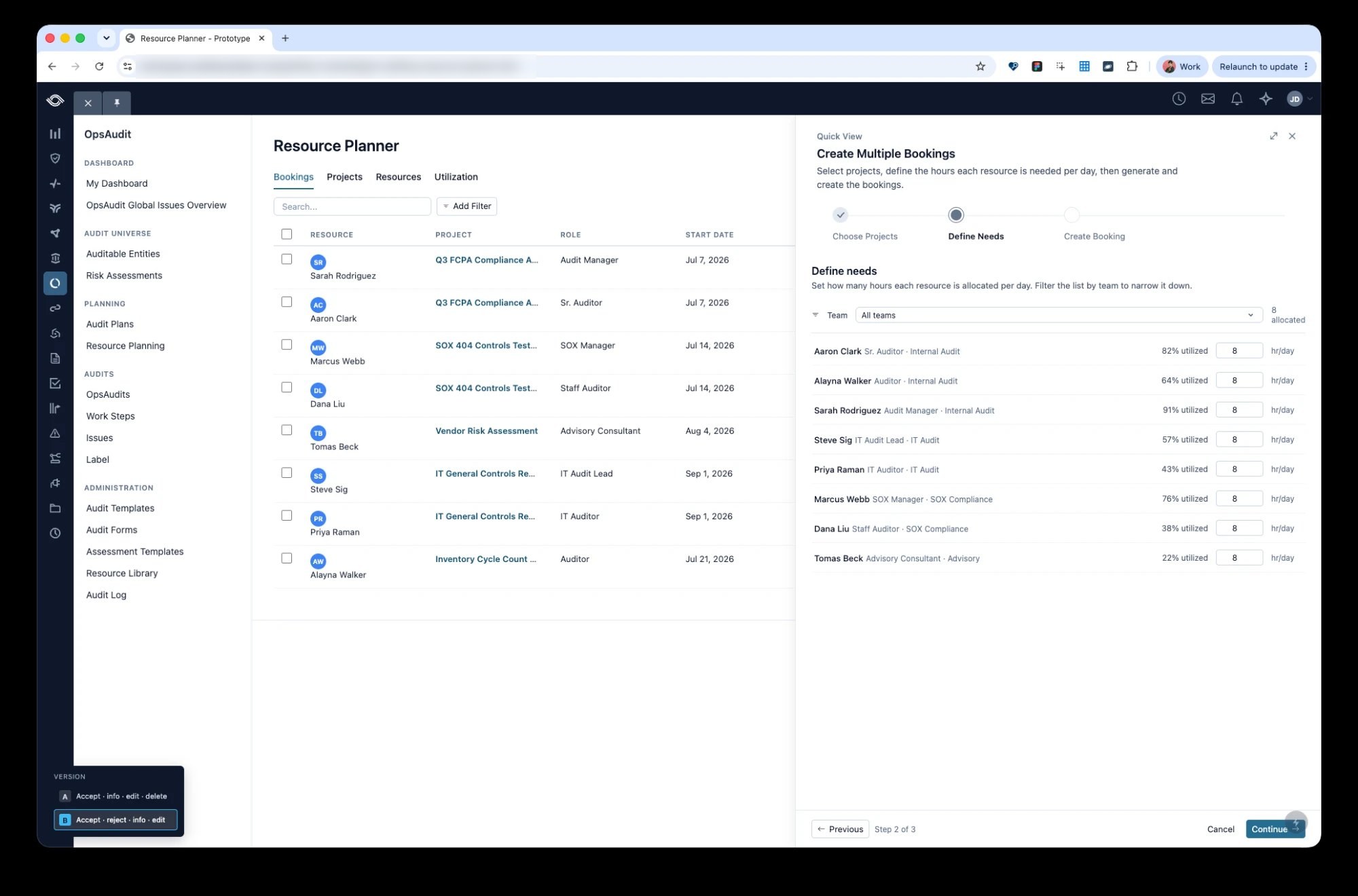
Managers start from Resource Planner, choose the projects to staff, set the hours each role needs, then review suggested bookings.
Note: the screens below are from the working prototype I built in code with Claude.
Human review
A person reviews every AI booking
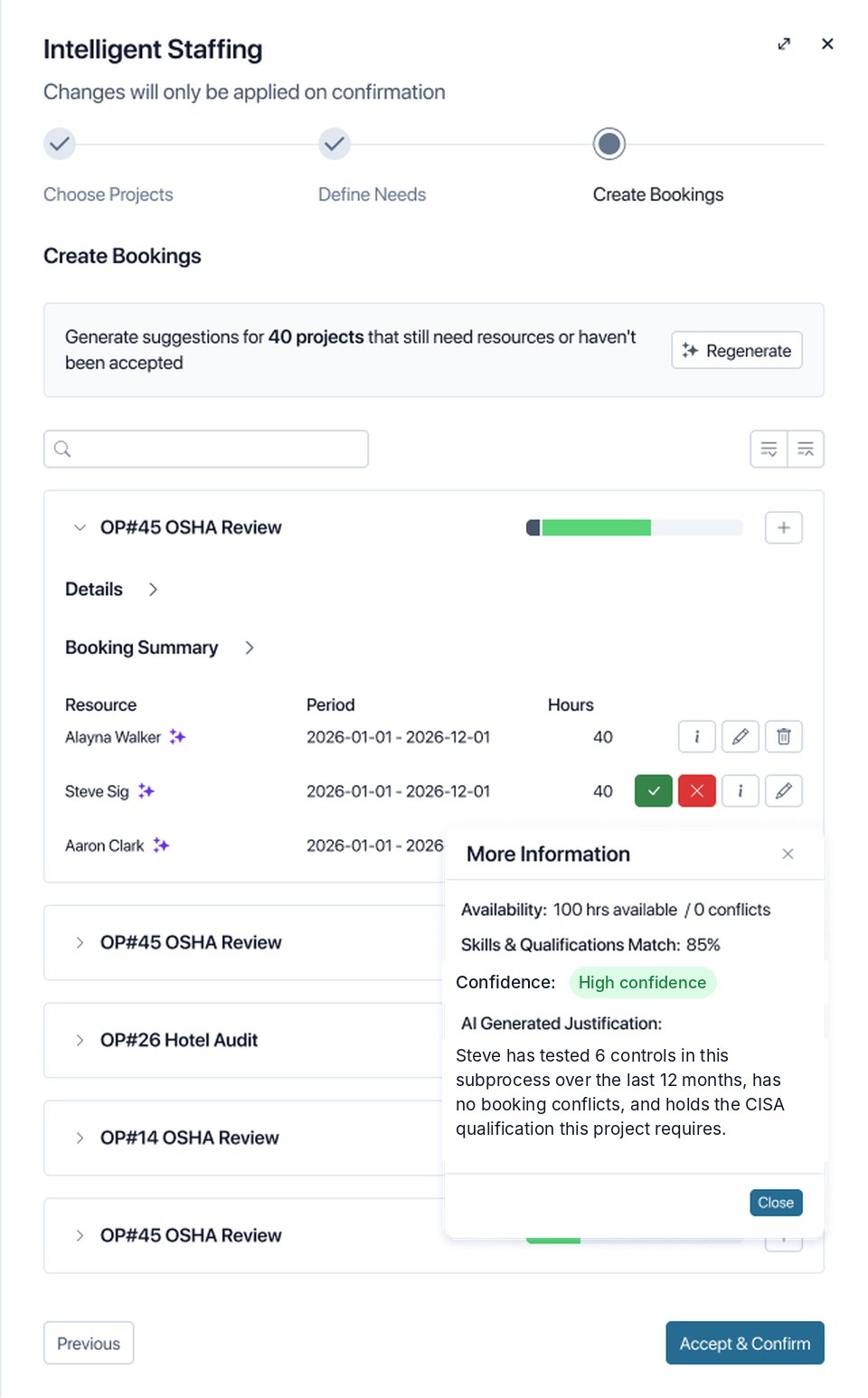
AI regulations require a person to review AI decisions about people, so nothing is booked automatically. Managers accept or reject each suggestion, and the info button shows why someone was suggested: availability, skills and qualifications match, a confidence level and an AI-generated justification.
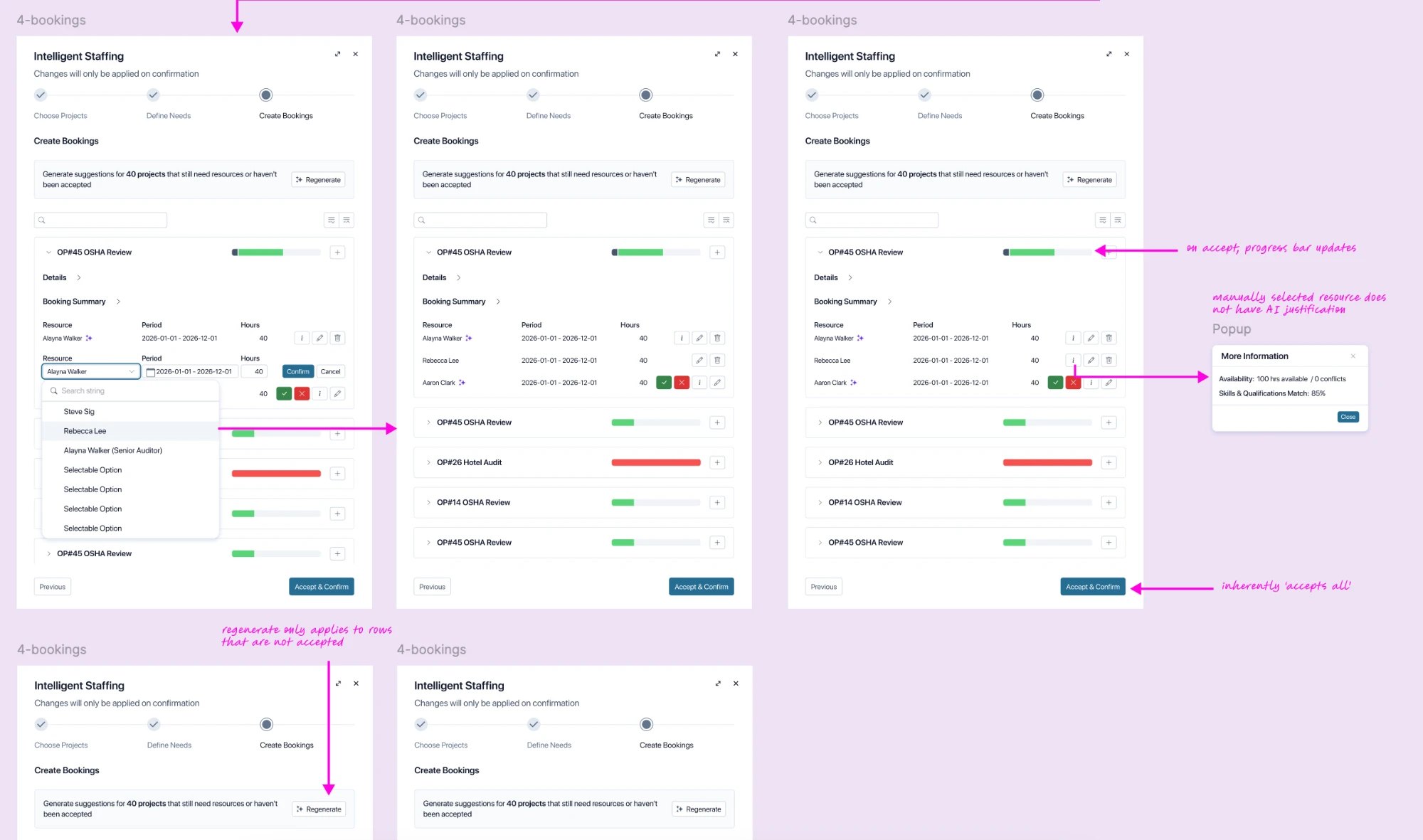
- Accepting a row updates the project’s progress bar
- Regenerate only replaces rows that haven’t been accepted, so no decision is lost
- Anyone can be swapped in by hand, without an AI justification
- Accept & Confirm books everything that’s left
Control
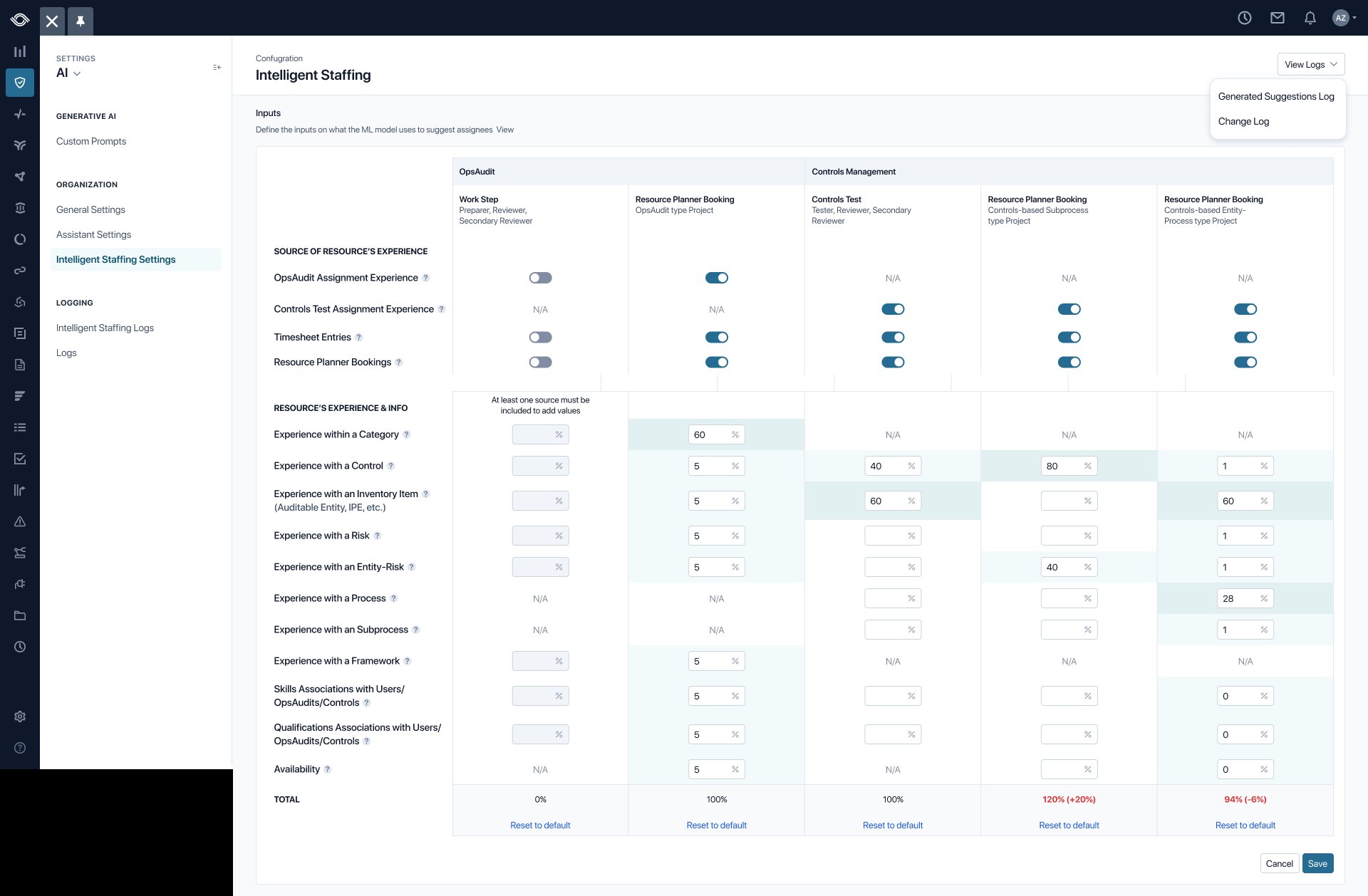
Customers define what the AI weighs
Admins choose which inputs count and how much each one matters, so suggestions match how their team really staffs. We added change logs, plus a log of every AI-generated suggestion, so people could look back at why someone was suggested.
How I did it
A working prototype, built with Claude
Persona-based
Built around real user personas.
Tested early
Synthetic usability testing before real users.
Real components
Built from our design library.
Engineering reference
Close enough to production for engineers to build from.
In Figma
Designing every state
I spelled out the rules for each state up front, annotated for engineering, which meant fewer questions during the build.
Outcome
- A year of staffing planned in the platform instead of spreadsheets
- A commitment delivered to some of Optro’s largest bank customers